Free tool · Ink Cabin
Phone Case Collage Maker: 2 to 8 Photos
Pick your phone, see its real camera, and choose where each photo goes.
1. Your phone
2. How many photos?
3. Add your photos
Choose several at once, or tap a numbered square. Drag a photo to move it, and tap it for zoom and swap. Keep faces away from the camera.
4. Background colour
The background shows between photos, around the camera and in any square you leave empty. On Clear cases, the checked option prints no background, so your phone shows through.
Your photos stay on your device while you work.
How to make a photo collage phone case
- Choose your phone and case type. The template shows the exact print area and camera for that phone.
- Pick how many photos you want, and see where each one goes.
- Add your photos, then drag and zoom each one until it looks right.
- Pick a background colour, or keep your photos below the camera.
- Tap Use on my phone case. The designer opens with your collage on that case, ready to order.
Prefer to keep the file? Download it and upload it in the designer whenever you like.
Collage phone case examples
The same photos can look quite different. Fewer squares give each picture more room, while the background colour sets the mood.
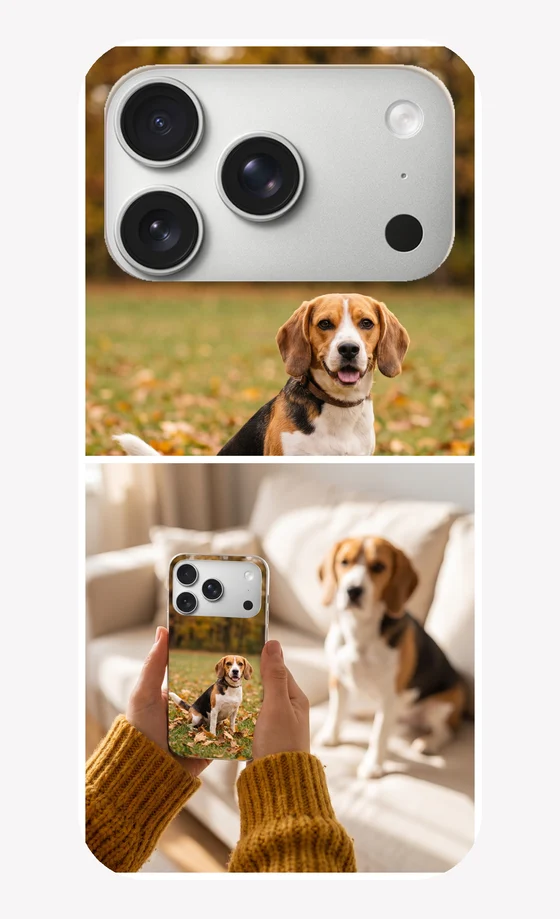
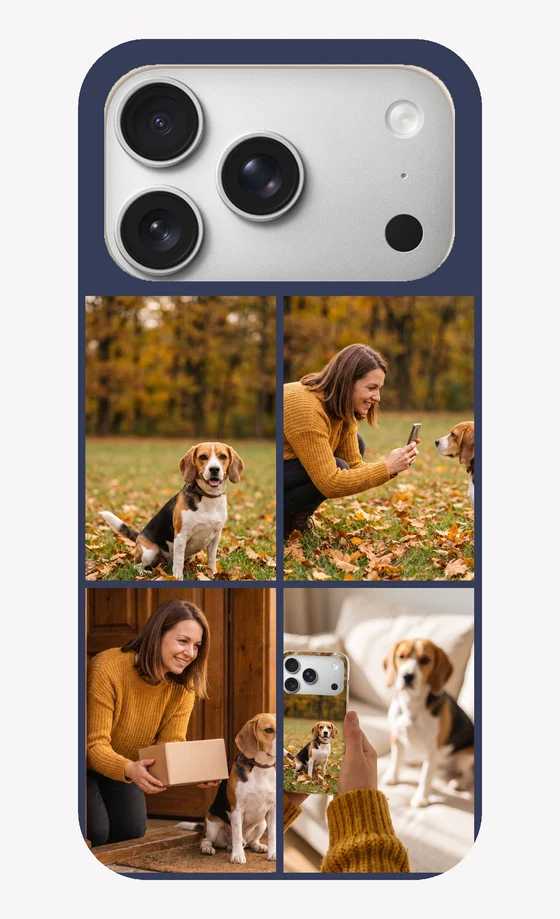
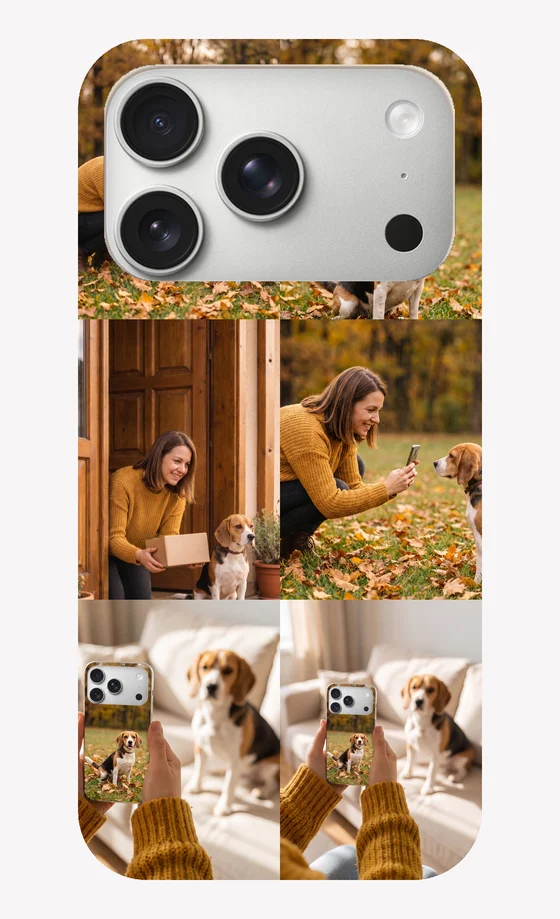
Illustrative examples on an iPhone 17 Pro Tough case.
How many photos should you use?
A phone case is small, so the number of photos decides how big each one prints. Faces need the most room. A clear close-up still works at the smallest size, but a group shot does not.
| Photos | Each photo prints at about | Works best for |
|---|---|---|
| 2 | 7.3 × 7.3 cm | Couples, then and now, two pets |
| 3 | 7.3 × 4.8 cm | Wide photos, landscapes, a short story |
| 4 | 3.6 × 7.3 cm | Portraits, and the best all-round choice |
| 5 | 3.6 × 4.8 cm | A family, with one wide group photo |
| 6 | 3.6 × 4.8 cm | Trips and pets, using close-ups |
| 7 | 3.6 × 3.6 cm | Mixed moments, with one wide photo |
| 8 | 3.6 × 3.6 cm | A year in photos, using simple close-ups |
Sizes are for a typical case back of about 7.6 × 15 cm and vary slightly by phone. Layouts with 5 and 7 photos also have one wide photo.
Collage ideas
- For a couple: two photos, then and now, or four from one trip. See our couple photo case tips and anniversary gifts.
- For a family: one photo of each person, with the same background colour between them. See family photo cases and photo gifts for mom.
- For a pet: four close-ups of one dog or cat from different days. See dog photo cases. To remember a pet, see our pet memorial gifts.
- For a year: six or eight small moments, one from each month or holiday.
- For Christmas: family photos on a warm background colour. See Christmas photo gifts, and check our order-by dates before you order.
Tips for a collage that prints well
- Pick close-ups. Faces should fill most of each square.
- Keep the look consistent. Photos with similar light or colours sit together better.
- Mind the camera. Choose your phone first, then keep faces out of the dark shape, or tick Keep photos below the camera.
- Leave a little room at the edges. Case corners are rounded, so avoid placing a face right in a corner.
- Use the original photos. Pictures saved from messaging apps are often shrunk. Not sure? Test one in our photo quality checker.
Which case suits a collage?
Tough and Snap cases have a solid back, so your photos and background colour print across the whole back. On a Clear case you can leave the background unprinted, and your phone's colour shows through around the photos. Our Snap vs Tough vs Clear guide compares them, and how to crop a photo for a phone case helps with a single picture.
Questions
Are my photos uploaded?
Not while you make the collage. It is built in your browser and stays on your device. Your collage is only sent to us when you save a design in the designer to order it.
Which phones does the collage fit?
Every phone model in our designer. Choose yours at the top and the template changes to its exact print area, so the collage is made to fit that phone.
What does the dark shape on the template show?
The camera opening for the phone and case type you chose. Nothing prints there, so keep faces and names away from it.
Can the background be see-through on a Clear case?
Yes. Choose a Clear case and pick the checked option under Background colour. Nothing prints there, so the colour of your phone shows through.
Can I keep photos away from the camera?
Yes. Tick Keep photos below the camera and the background colour fills the space around it. You can also leave any square empty, and it prints in the background colour.
If I change my phone, do I lose my photos?
No. Your photos stay in place and the template changes shape, so just check each one still looks right.
How many photos can fit on a phone case?
Up to eight here. Two to four works best for faces. With six or eight, each photo prints about 3.6 cm wide, so use simple, close-up pictures.
Do my photos need to be high resolution?
No. Each photo prints small in a collage, so normal phone photos are fine.
More photo gift ideas
Looking for something else? Browse personalized photo gift ideas, or design with a single photo.